
Features
Task Management
Make projects more manageable.
Q PPM makes it easy to see your team’s current capacity so you can allocate tasks effectively and keep projects moving forward. With configurable views and integrated reporting, you’re in complete control.


Streamlined Task Schedules
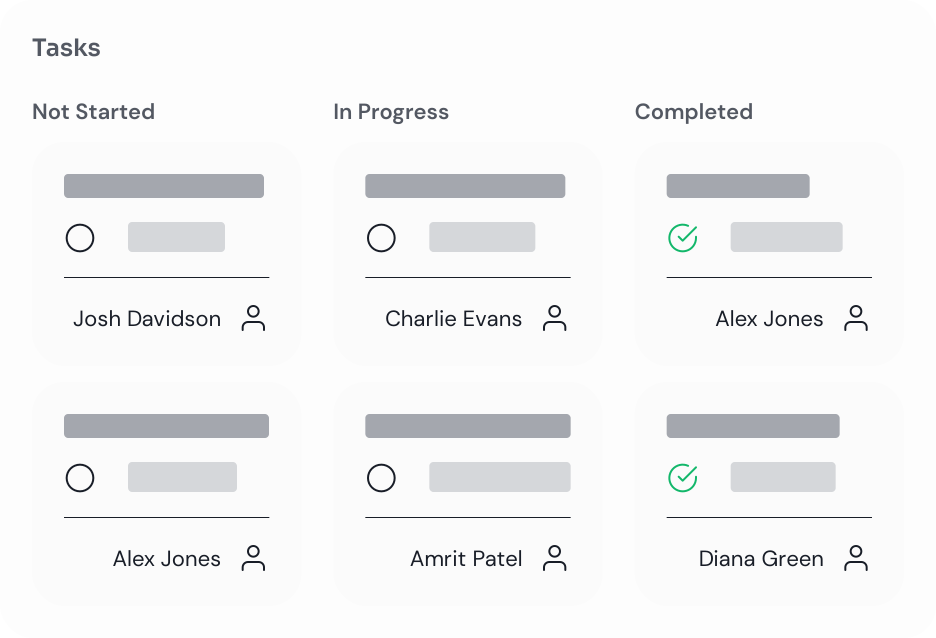
Clarity is everything. Cut through project complexities by assigning tasks to set individuals, ranking priorities, and breaking deliverables down into easily digestible subtasks.

Real-Time Collaboration
Keep your team on track with grid, gantt, and board views. Our Microsoft 365 integrations ensure changes are reflected instantly for all users, with real-time notifications shared with the entire project team.

Work Your Way
Use Q PPM to track tasks following the correct methodology, whether it be agile or waterfall, ensuring that users can work in the way that feels most effective and familiar to them.




Book Your Free Demo Today
Let our experts walk you through our Q Suite Solutions and explain the features that offer your organisation the most value. A strategic session, tailored to you - No hard sell.

Learn more about the features Q Suite Solutions offers.
Resource Management
Strategically grow your investments with sophisticated portfolio planning. With real-time data, you can model scenarios, compare initiatives, and make informed decisions.
Portfolio Planning
Strategically grow your investments with sophisticated portfolio planning. With real-time data, you can model scenarios, compare initiatives, and make informed decisions.
Project Management
Strategically grow your investments with sophisticated portfolio planning. With real-time data, you can model scenarios, compare initiatives, and make informed decisions.
Financial Management
Strategically grow your investments with sophisticated portfolio planning. With real-time data, you can model scenarios, compare initiatives, and make informed decisions.
Time Tracking
Strategically grow your investments with sophisticated portfolio planning. With real-time data, you can model scenarios, compare initiatives, and make informed decisions.
Interactive Reporting
Strategically grow your investments with sophisticated portfolio planning. With real-time data, you can model scenarios, compare initiatives, and make informed decisions.
Frequently asked questions
What is the difference between Planner Basic and Planner Premium?
Planner Premium adds capabilities such as timelines, dependencies, resource management and advanced project planning.
Can tasks be assigned to individuals and teams?
Yes. Tasks can be assigned, tracked and managed across individuals and teams.
Does the solution support dependencies and milestones?
Yes. Planner Premium schedules support both task dependencies and milestone tracking.
Can users manage work directly within Microsoft Teams?
Yes. Planner and related Microsoft applications can be accessed directly within Teams.
How can task progress be reported to stakeholders?
Progress is automatically reflected within dashboards and reporting packs.
Still have questions?
Can’t find the answer you’re looking for? Please chat to our friendly team.